What a traveler sees is only the front screen: a search box, a list of fares, a pay button. What decides whether that business works is the machinery behind it: who is allowed to sell, what profit margin applies, and who keeps control of the record afterward.
A business travel booking system brings supplier connections, booking processes, price rules, payments, and records into one place. Employers use one to arrange staff journeys; travel firms use one to sell journeys to their own customers. A white-label option, illustrated by TravelBookingPanel, lets a travel firm run that machinery under its own name. This guide explains how the machinery works, the four kinds of system on the market, the nine features worth testing, and how to compare total cost before you commit. If you want the narrower company-travel view first, see how a company travel booking system works.
Key takeaways

- A business travel booking system is the machinery behind the search box: supplier connections, booking workflow, price rules, payments, and records in one place.
- One search hides two different buyers: an employer booking staff trips, and a travel firm selling trips to customers. They need different products.
- Flight booking runs search, price confirmation, then order creation — and each stage can fail on its own.
- Test nine features with the same three questions for every vendor: what it does, what breaks without it, and how you prove it in a demo.
- Score vendors on a weighted scorecard and compare total cost over three years, not the headline licence price.
- A white-label system does not replace an expense tool, a corporate card program, or a duty-of-care service.
What Is a Business Travel Booking System?
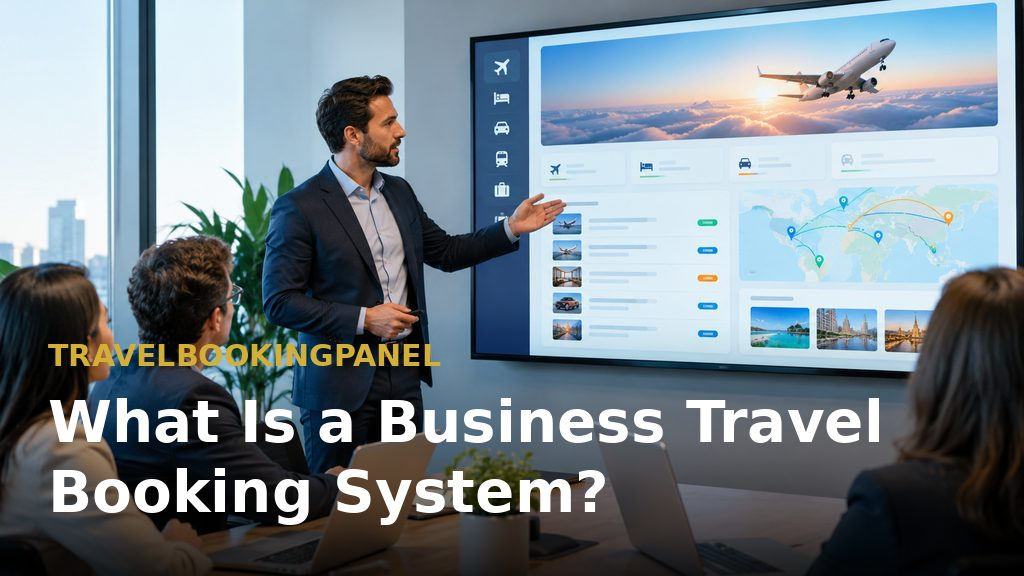
One system, not a pile of tools — A business travel booking system enables searching, reserving, amending, and following work-related journeys, subject to rules about who may book what and at which price. Strong versions centralize reservation details, itineraries, and payment status, rather than scattering them across email inboxes and spreadsheets.
The commercial pressure is real. The GBTA 2026 Business Travel Index projects worldwide business-travel expenditure of $1.71 trillion, up 7.2%, while journey numbers rise only 1.3%. Prices are climbing faster than trip numbers, so buyers want clear sight of, and control over, costs. If you are new to the vendor landscape, our travel technology company guide explains the provider types first.
What Buyers Actually Want

People searching for this kind of system typically want the same handful of things:
- Finding and reserving business flights, hotels, and related services.
- Handling reservations for staff, clients, or corporate customers.
- Keeping reservations, itineraries, and records orderly.
- Keeping spending in check and cutting manual coordination.
- Giving travel managers or agents visibility over every reservation.
- Comparing software options before selecting a supplier.
The catch is that these aims pull in two different directions — a distinction many pages blur, and the reason shortlists so often compare unlike with unlike.
Two Buying Decisions Hiding in One Search

Buyer type 1: the employer — An employer arranging journeys for its own employees cares most about internal policy, approvals, and expenses. The system must stop out-of-policy bookings, route trips for approval, and feed spending into expense handling.
Buyer type 2: the travel firm — An agency, tour operator, or travel management company selling journeys to corporate customers cares most about supplier access, agent permissions, profit margins, and ownership of the brand. TravelBookingPanel is aimed at this second buyer: a white-label travel booking panel with a customer-facing website, an administration panel, and — depending on the plan — an agent panel.
A firm whose main need is expense handling, corporate cards, or traveller-safety tools belongs in a different product category altogether, and should not force a booking platform to be something it is not.
How Does Business Travel Work?

Business travel is a chain: a need emerges, approval is given, a reservation is made, the journey takes place, and the cost is reconciled. The booking system sits in the middle of that chain, linking the stages — so the choice of system shapes everything that follows.
The traveler's journey in six steps —
- Request — an employee or client needs to travel for a meeting, project, or event.
- Approval — a manager or travel arranger authorizes the trip, sometimes by reference to a policy.
- Search — options for flights, hotels, or other services are compared.
- Booking — the selected option is priced, paid for, and confirmed.
- Trip and changes — the traveller travels, and amendments or cancellations are dealt with.
- Reporting — spending is recorded, matched to accounts, and reviewed.
Handled through email and spreadsheets, every handover risks duplication, incorrect pricing, or a lost reservation.
Where a travel business sits in the chain — An agency or travel management firm handles steps 3–6 for a corporate client. It therefore needs supplier access, freedom to set its own prices, a way for agents or sub-agents to book within set permissions, and records it controls. This seller-side need differs from the tool an employer installs to book its own staff.
How Does a Flight Booking System Work?
Within any business-travel system, the flight engine converts a search into a confirmed ticket through three technical stages: searching, confirming the price, and creating the order. Each stage can fail independently, so the underlying workflow matters more than the screen's appearance.
Search, price, order — Amadeus's documented booking flow illustrates the sequence: first search for flight offers, then run a pricing step to verify the offer, and only then create the order. A fare displayed in search results is not guaranteed, because fares and availability shift constantly. A system that omits the pricing check may quote one fare and ticket at another.
Three routes to the same seats —
- GDS — a long-established distribution network aggregating airline and hotel content for travel sellers. Consideration: wide coverage and well-established ways of working.
- NDC — an airline-direct standard. IATA's NDC standard is XML-based and open for any third party or IT provider to implement. Consideration: richer airline content, but it varies by airline.
- Direct or aggregator API — a supplier or aggregator makes its own inventory available through its own interface. Consideration: quicker to connect, but coverage depends on that provider.
Most travel firms mix these routes, which is why supplier coverage should be the first thing tested. Travel technology guides at TravelsTech explain how these connections are built and maintained.
What can go wrong between search and ticket — Four failures recur:
- Outdated prices — the fare moves between search and booking.
- Supplier timeouts — the airline or interface does not respond in time.
- Repeated bookings — a retry generates a second order.
- Payment mismatches — the card is charged while the booking fails, or the booking succeeds without the charge.
A dependable system has a defined response for each case, and you can test all four directly in a demonstration.
How Do Travel Booking Sites Work?
Like a business-travel system, a booking site draws inventory from suppliers, applies a pricing rule, collects payment, and sends confirmation. The visible website is only one layer of a longer chain.
Five steps behind every booking —
- The site connects to suppliers via GDS, NDC, or APIs.
- It shows availability and prices, usually with the seller's markup already applied.
- It collects payment through a payment gateway.
- It asks the supplier for confirmation and issues a voucher or ticket.
- It stores the reservation for later changes, support, and reporting.
Why an agency-branded system differs — A consumer site is optimized for high volume and its own brand; an agency-oriented system is optimized for the agency's customers, its agents, and its margins. The agency decides the domain, logo, pricing, and who has access. TravelBookingPanel's flight and hotel modules follow that model: the agency brands the storefront and controls the commercial rules. Online booking guides at Bookin.pk show how the storefront side of this model works for travel businesses.
How to Book a Business Trip
Booking is easiest when the steps are settled in advance, ideally inside a booking system.
Steps for a traveler or office manager —
- Confirm purpose, dates, and budget; obtain approval if required.
- Search flights and hotels, comparing total journey cost rather than only the fare.
- Review change and cancellation conditions before paying.
- Book, then store the confirmation and itinerary where finance can find them.
- Record the booking so it can later be matched against the expense.
Our hotel booking software guide covers the hotel side of step two in detail.
Steps when a travel business books for clients —
- Capture the client's request, travellers, and approval rules.
- Search across connected suppliers inside the agent or admin panel.
- Apply the correct price and markup for that client.
- Collect payment, issue confirmation, and send the itinerary under the firm's own brand.
- Log the booking so changes, refunds, and reporting remain linked.
Where a firm has agents or sub-agents, a B2B agent portal keeps those steps permission-controlled. On TravelBookingPanel, the B2B Agent Portal and advanced markup control sit in higher plans, so buyers should confirm their plan includes them before designing a workflow around them.
Four Types of Business Travel Booking System

Four categories cover most of the market. Each fits a different buyer, and matching the category to your side of the transaction matters more than any single feature.
Corporate travel booking software — Best for companies arranging employee trips. Priority: policy, approvals, expenses.
Travel management company (TMC) platform — Best for companies wanting booking technology plus a service element. Priority: human support and travel operations. Travel portal development guides at TravelBookingPortal describe how agencies build on this model.
White-label travel booking system — Best for agencies selling trips under their own brand. Priority: ownership, inventory, agent management.
Custom-built booking system — Best for businesses with specialized workflows. Priority: control, development resources, integrations.
Where the categories overlap — Boundaries are not rigid. A TMC may run its own white-label platform, a corporate software vendor may offer agency tools, and a custom build may start from a licensed codebase. The useful question is which side of the transaction you are on: purchasing travel for your own people, or selling travel to customers.
Who should look at a white-label system — It suits travel agencies, travel management companies, tour operators, and entrepreneurs who want a branded booking operation. It does not suit a company whose main need is employee expense management, corporate cards, or duty-of-care tracking. For that audience, a guide on company travel management software is the better starting point — and the platform features page shows what a booking platform itself covers.
Nine Features to Evaluate in a Business Travel Booking System
Apply the same three questions to every feature and every vendor, including TravelBookingPanel: what does it do, what breaks without it, and how do you prove it in a demo?
Supplier and inventory coverage — Links the system to the flights, hotels, and services actually sold. Without it, agents go outside the system and bookings revert to manual work. Demo test: search a route and hotel city you sell weekly, and ask which connections are live today.
Booking workflow — Moves the user from search through booking, confirmation, and after-booking service. Without it, staff re-enter data and errors creep in. Demo test: complete one test booking end to end, then amend it and cancel it.
B2B agent management — Lets agents and sub-agents work within set permissions and pricing. Without it, all agents share one login and nobody can see who sold what. Demo test: create an agent, restrict access, and check what they can and cannot see; confirm which plan includes this.
White-label branding — Your own domain, logo, and customer-facing identity. Without it, customers see the vendor's brand and you build the vendor's audience. Demo test: ask what remains vendor-branded on each plan, including emails and documents.
Pricing and markup controls — Manages margins by product, supplier, or agent where supported. Without them, prices are edited by hand or uniform margins accepted even when they do not fit. Demo test: set a markup, place a booking, and verify displayed and stored prices agree.
Payments and reconciliation — Records payment status, refunds, and supplier charges so finance can match them. Without it, payments and bookings drift apart and refunds become a spreadsheet exercise. Demo test: make a test payment, refund it, and ask where each event is recorded; check card-data handling against the PCI DSS standard, which applies to any business storing, processing, or transmitting cardholder data. Examine this feature most closely: ask every vendor, including TravelBookingPanel, exactly what reconciliation reporting is included, and get it in writing before relying on it.
Booking management and reporting — Shows bookings, revenue, and operational status in one place. Without it, answering how many bookings were taken last week requires exporting and merging files. Demo test: request the report you need most and see how long it takes to produce. Our travel agency back office software guide covers the back-office side of reporting in detail.
Customization and integrations — Supports existing suppliers and future requirements. Without them, every new supplier or payment method becomes a stalled project. Demo test: name a supplier you use that is not on the vendor's list, and ask who builds the connection and what it costs. TravelBookingPanel note: integrations cover flights, stays, cars, tours, rail, ferries, payment gateways, and more, but its pre-built catalogue is smaller than some larger vendors'. If an agency uses an unconnected supplier, the team extends the platform as a separately scoped engineering add-on. CRM and reporting guides at TravelCRMSystem show what good booking records look like in practice.
Support, security and ownership — Defines what happens when an integration fails, the business grows, or the vendor relationship ends. Without it, the problem surfaces only during an outage or at renewal. Demo test: ask for support terms, what the buyer retains if it leaves, and what the licence permits it to modify. Ownership note: TravelBookingPanel is source-available and sold as a licence — proprietary, not open source. Rights differ by plan, so read your plan terms before assuming what may be modified or redistributed.
Vendor Evaluation Scorecard

A weighted scorecard prevents a demo from becoming a mere feature tour. Adjust the weights to your business, score each vendor from 1 to 5 against the same checklist, and keep blank columns for Vendor A, B, and C. A similar comparison approach is covered in our guide to choosing travel booking software.
How the scoring works — Multiply each score by its weight, add the results, and compare totals with your gut feeling. A large gap usually reveals an under-weighted criterion. The weights below are illustrations, not an industry standard, and a tour operator and a corporate-focused agency would weight differently.
- Supplier and inventory coverage — 20%: the suppliers you need are covered now, not promised later.
- Booking workflow — 15%: fewer steps and fewer manual corrections.
- Agent management — 10%: permissions and pricing rules fit how your agents actually sell.
- Markup and pricing controls — 10%: margins by product, supplier, or agent where needed.
- Payments and reconciliation — 10%: records align with money coming in and going out.
- Customization and integrations — 10%: new suppliers and payment methods can be added without a stalled project.
- Support and data ownership — 15%: clear help during setup and afterwards, and clarity on what you retain.
- Total cost — 10%: the full three-year picture, not the headline price.
Weights total 100%. If the totals contradict your judgment, re-examine the weights before doubting the scores.
Total Cost of Ownership: Ready-Made vs Custom Build
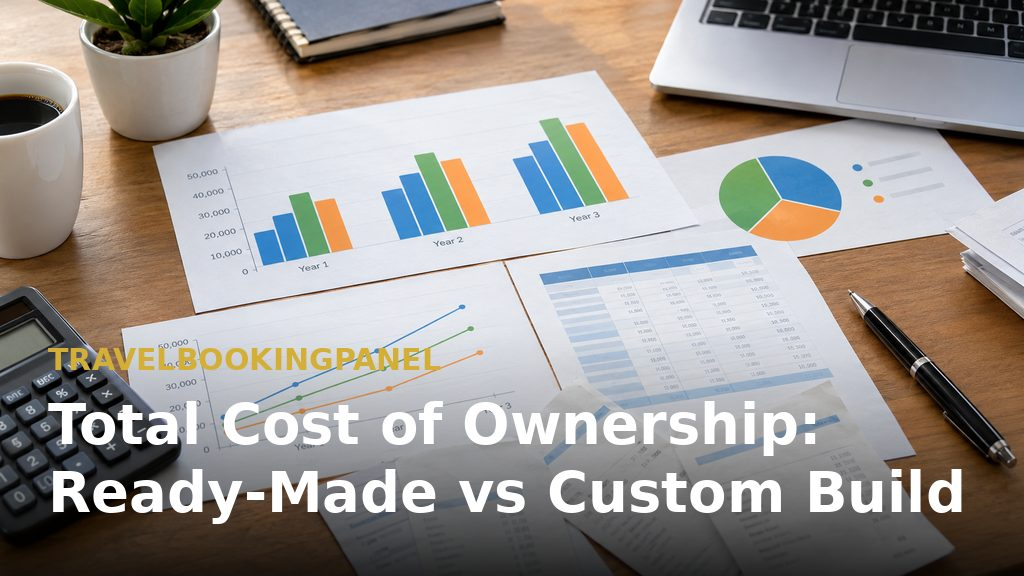
Compare by category, not headline price — The cheapest option on day one is rarely the cheapest over three years. Compare by category, and fill the final column with real quotes, not internet averages, because integration scope and support terms vary widely. Compare year one against year three: a one-time licence and a monthly subscription cross over at different points depending on volume.
- Licence or development — ready-made or licensed: a licence fee, one-time or recurring. Custom: design and build effort.
- Supplier integrations — ready-made: pre-built connections plus add-ons. Custom: every connection built and maintained.
- Hosting — ready-made: your servers or the vendor's. Custom: your servers.
- Maintenance and updates — ready-made: depends on plan and support terms. Custom: your own team or a contractor.
- Payment fees — gateway and bank fees in both cases.
- Support — ready-made: plan-based. Custom: internal.
Where the hidden costs appear — Three costs surprise buyers most: supplier integrations not in the original scope, payment fees scaling with volume, and maintenance when a supplier changes its API. Ask each vendor to show where each one is covered.
Common Objections Answered Directly

Buyers raise the same concerns in every evaluation, so it is better to raise them directly.
Will it cover our suppliers? — Check the vendor's integration list against your own. Where there is a gap, ask whether it can be closed and at what scope. You can test this on TravelBookingPanel's live demo using the routes and hotel cities you sell most often.
How long does implementation take? — It depends on plan, branding requirements, and suppliers connected. Treat any fixed timeline cautiously until the vendor has reviewed your supplier list and configuration.
What if we need an extra integration? — This is normal. Scope, owner, and cost should be agreed before signing, so extra work is planned rather than discovered.
What happens when something breaks? — Ask for support terms, response expectations, and how failed bookings are surfaced. A vendor that cannot show failure handling has not thought it through.
What a white-label system does not replace — It does not replace an expense tool, a corporate card program, or a duty-of-care service. If a company needs those, pair a booking system with a specialist product or choose a corporate travel platform instead.
How to Choose: A Short Decision Path

Work through these answers in order; each one narrows the next.
- Decide which side you are on — buying travel for employees points to corporate software; selling travel to customers points to a TMC platform, a white-label system, or a custom build.
- List your suppliers — the system must connect to what you sell, or the rest does not matter.
- Define who books — customers, staff, agents, or all three.
- Set margin rules — decide whether markups by product, supplier, or agent are needed.
- Score vendors with the scorecard and compare total cost over three years.
- Test with real data in a demo before deciding.
If your answers describe a travel business needing a white-label system under its own brand, review the pricing and plan comparison to see which features sit in which plan, then request a demo to discuss suppliers and workflows. Travel booking panels for Pakistan agencies are also covered by TravelBookingPanel Pakistan.
More resources from our network
- TravelsOTA — online travel agency platform resources.
- Airways.pk — airline booking and aviation guides.
- Jovago.pk — hotel and travel booking guides.
- FindMyAdventure.pk — tour and adventure travel guides.
- Buscaro.pk — bus and ground transport booking guides.