Key takeaways
- Back office software is the admin layer behind your sales channels: bookings, customers, agents, suppliers, pricing rules, and reports in one place.
- It is not automatically a CRM, a full accounting suite, or an airline settlement tool — those usually sit in separate products.
- Judge any vendor with the seven buyer questions in this guide, and score native features separately from plan-dependent and integration-dependent ones.
- TravelBookingPanel's one-time licence plans run from $1,599 to $4,999 at the time of writing; verify current figures before deciding.
What Is Travel Agency Back Office Software?
A confirmation email is where a booking leaves the customer's screen and lands on your operations team's desk. Travel agency back office software is the system that keeps bookings, agents, suppliers, and payments in one place after a sale, so owners can see what is happening across the business. The right choice connects the customer booking experience, agent distribution, supplier inventory, and admin controls. TravelBookingPanel is one integrated option for agencies and B2B portal operators who want that connection under their own brand, and this guide shows how to judge it, and every alternative, against your real workflow.
Travel agency back office software is the administrative layer behind your sales channels. It stores booking records, tracks customers and agents, records supplier activity, applies pricing rules, and produces the reports an owner needs to make decisions. Without it, the information lives in supplier websites, spreadsheets, and inboxes.
Front office, mid-office, and back office explained
Travel businesses usually describe operations in three layers. The front office is what customers and agents use to search and book. The mid-office checks and fulfills bookings after the sale. The back office holds the records, money, and reporting. AltexSoft's overview of travel mid- and back-office systems treats these as logical operational layers rather than individual products, and notes that definitions vary between companies. Host Agency Reviews describes the mid-office as the software that links front-office tools to back-office tools. That variation matters when you buy. One vendor's travel agency back office software may be an accounting product, while another's is the admin panel of a booking platform. Always ask which layer a product covers.
What back office software handles day to day
A working back office system typically covers:
- Booking records: one searchable list across products, with status, date, agent, and payment state.
- Customer and agent accounts: profiles, booking history, and sub-agent access.
- Supplier activity: which supplier or connection produced each booking.
- Pricing rules: markups and commissions applied at booking time and visible afterward.
- Documents: vouchers, e-tickets, and confirmations that match what was booked.
- Reports: bookings, cancellations, revenue, and agent activity.
What it does not automatically do
A booking back office is not automatically a CRM, a full accounting suite, or an airline settlement tool. TravelBookingPanel's admin dashboard is built around booking management, markup control, team roles, and revenue and booking analytics. Detailed ledgers, tax reporting, and commission settlement usually sit in separate tools.
Signs Your Agency Has Outgrown Spreadsheets and Supplier Portals
Many agencies start with a spreadsheet and a few supplier logins. That works until volume, products, or agents multiply.
The visibility problem
Picture an agency taking flight and hotel bookings, working with several suppliers, serving sub-agents, tracking booking status, and preparing reports. Staff switch between supplier websites, spreadsheets, emails, and separate tools. The inconvenience is real, but the deeper problem is that the owner cannot easily see what is happening across the business. Watch for these signals:
- Two people give different answers about a booking's status.
- Sub-agents ask for prices or confirmations by message because they have no portal.
- Month-end reporting means rebuilding the month from several sources.
- Nobody can say which supplier connection created a disputed reservation.
What manual work really costs
Vendors often claim large time savings without showing the math. Use your own numbers instead: annual cost of manual work = weekly admin hours × loaded hourly staff cost × 52. Then estimate what share of that work software would actually remove. It will not remove all of it, because staff still handle exceptions, supplier disputes, and customer questions. Illustrative example only: 15 hours a week at a loaded cost of $12 an hour is $9,360 a year. If software removed a third of that work, the saving would be about $3,120 a year before the software's own cost. Compare that figure with the full cost of ownership to find your break-even point.
Seven Questions Buyers Ask Before Choosing Travel Agency Back Office Software
Before asking you to book a demo, a good vendor should answer these:
- Which products can it manage? What you really need to know: does it fit my booking model? What to verify in a demo: flights, hotels, tours, visas, and any manual products in one list.
- Can I manage sub-agents? What you really need to know: can B2B distribution scale without manual work? What to verify in a demo: agent logins, pricing rules, and booking visibility.
- Can it connect to suppliers? What you really need to know: will my current inventory workflow be supported? What to verify in a demo: which connections exist and who holds the contracts.
- Can I see booking and sales reports? What you really need to know: can I decide using reliable data? What to verify in a demo: filters, exports, and what each report contains.
- Will it replace my tools? What you really need to know: what migration and training will I need? What to verify in a demo: data import, integrations, and staff roles.
- What does it cost? What you really need to know: do the benefits justify the investment? What to verify in a demo: licence, hosting, supplier, and gateway costs.
- Who owns it? What you really need to know: am I renting or owning the system? What to verify in a demo: licence terms, source code, and data access.
Which products can it manage?
If you sell flights, hotels, and tours, you need all of them visible in one booking list. If part of your business is offline or manual, confirm those bookings can be recorded too. Otherwise your reports will undercount.
Can I manage sub-agents?
B2B growth depends on giving approved agents their own access while you keep control of pricing and visibility. Ask whether agents book through a dedicated portal, how their markups are handled, and whether credit or wallet controls exist. Our B2B travel booking panel guide covers the agent-portal side in detail.
Can it connect to suppliers?
Coaxsoft's guide to mid- and back-office software explains that GDS connections feed live inventory into back-office software. The practical caveat is that available inventory depends on the supplier connections and agreements you actually hold. Software that connects is not the same as software that includes inventory.
Can I see booking and sales reports?
Ask to see real report screens, not slides. Confirm what you can export and whether payment status appears next to each booking.
Will it replace my current tools?
Usually it replaces some and sits beside others. Decide in advance whether your accounting package, CRM, and supplier portals stay, and what has to be migrated.
What does it cost?
The licence is only one line. The cost section below lists what else to budget for. Compare plans on the pricing page rather than the headline price alone.
Who owns the system?
A monthly subscription and a one-time licence with source code are different commitments. Neither is automatically better; the right choice depends on your cash flow, technical resources, and need for customization.
How a Connected Back Office Works: The Four-Panel Model
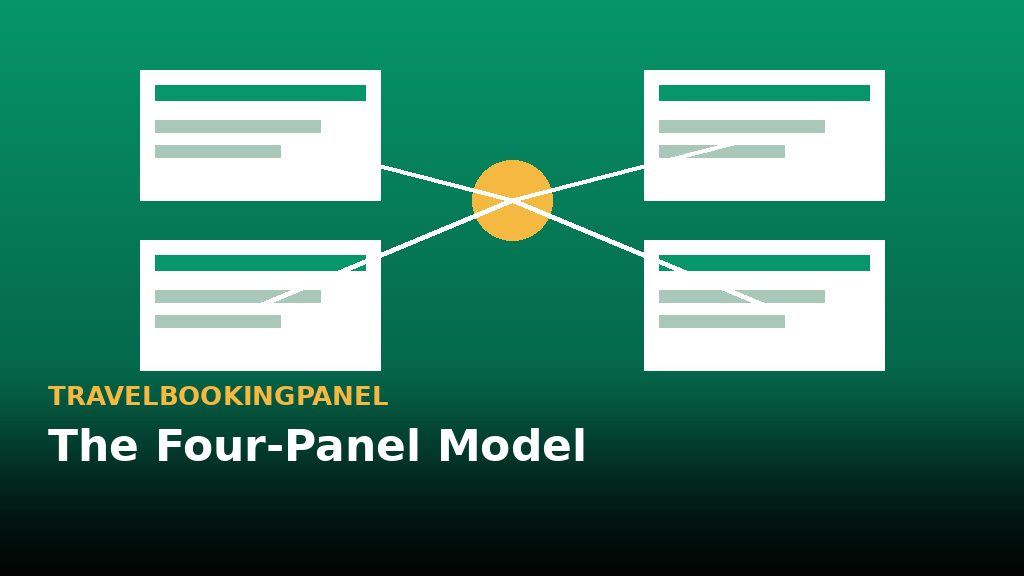
Most agencies do not have a booking problem. They have a connection problem between where bookings are made and where they are managed. TravelBookingPanel addresses this with four connected panels: a customer booking website, an admin back office, a B2B agent panel, and a customer account panel.
Customer website
This is the white-label front end where travelers search and book under your brand. Its job in the back-office story is simple: every booking made here should land in the same admin system your staff use. See the white label travel booking panel guide for how the branded front end works.
Admin back office
The admin panel is where staff review bookings, set markups, manage team roles, and watch revenue and booking activity. TravelBookingPanel's features page describes markup control by product, route, agent, or currency, role-based access for staff and sub-agents, and automated email and SMS notifications for bookings, cancellations, and payments.
B2B agent panel
For B2B portal operators this panel is the growth engine. It gives approved sub-agents their own booking access while the main agency keeps control. The published pricing shows the B2B Agent Portal is part of the Agency Pro plan and above, so confirm your plan before assuming it is included.
Customer account panel
Travelers can view booking history, documents, and order status themselves, which reduces routine status questions to your staff.
One illustrative booking from search to report
The following walk-through is a hypothetical example of how one booking could move through a connected system. It is not a record of a real transaction.
- A customer searches flights or hotels on your branded website.
- The customer reserves and pays through a connected payment gateway.
- The booking appears in the admin panel with its status, agent, and pricing rules.
- Staff confirm the booking, and the customer receives their ticket or voucher and sees the status in their account.
- The owner reviews the booking in reports alongside others from the same period.
Specialist Back Office Tool vs Integrated Platform vs Existing Tools
No single approach suits every agency. Here is how the options compare.
When a specialist tool is the better fit
Specialist products focus on the financial side. Capterra's listing for TravelWorks describes a cloud back-office system for agencies and tour operators covering invoicing, receivables, payables, a general ledger, and reports. Note that Capterra profiles can be sponsored by vendors, so treat listings as a starting point. Flight-heavy agencies may also need settlement tooling: IATA's Billing and Settlement Plan is a standardized framework for sales reporting, remittance, and settlement between airlines and IATA-accredited agents. A booking platform's admin panel is a different product, and most do not replace it.
When an integrated platform is the better fit
An integrated platform suits businesses that need a customer-facing booking website, B2B agent access, supplier connections, and central operational control in one system. TravelBookingPanel is sold as a licensed platform with a one-time payment and source code, rather than a monthly subscription, which changes the ownership and cost picture compared with hosted tools. Our travel tech company guide explains how booking platforms differ from specialist tools.
When your existing tools are enough
A small agency with low booking volume and settled accounting processes may not need new travel agency back office software yet. Changing systems has a cost, and a tidy spreadsheet can be the right answer for a while.
Decision matrix
- Main pain is commission accounting and reconciliation: specialist back-office or accounting tool.
- You need a branded booking site plus B2B agents plus admin control: integrated platform.
- High-volume IATA flight ticketing: booking stack plus settlement tooling.
- Low volume, stable processes: keep current tools.
- Mixed needs: integrated platform plus a separate accounting package.
Feature Verification Table: What Is Native, Plan-Dependent, or Separate?
The list below separates what TravelBookingPanel publishes from what depends on plan, integrations, or a separate tool. Confirm each row with the TravelBookingPanel team before you rely on it, and check the documentation for technical detail.
- Customer booking website: included in published plans.
- Admin dashboard with booking and revenue analytics: included in published plans.
- Markup control: described on the features page; advanced markup control is listed from Agency Pro.
- B2B agent portal: plan-dependent (Agency Pro and above).
- Agent wallet system: plan-dependent (listed under Enterprise Plus).
- Supplier and GDS connectivity: integration-dependent; requires your own supplier agreements.
- Payment gateways: integration-dependent; see the integrations page.
- Umrah module: confirm plan inclusion — see the Umrah booking panel checklist.
- Invoicing, general ledger, receivables, payables: separate accounting tool unless confirmed.
- BSP settlement and reconciliation: separate tool.
This list is also a useful template for any vendor you evaluate. A capability is either native, dependent on a plan, dependent on an integration, or handled elsewhere. A vendor who cannot sort their features this way is not ready for a serious buyer.
What Does Travel Agency Back Office Software Cost?
Licence cost
At the time of writing, TravelBookingPanel's pricing page lists three one-time plans: Launch Suite at $1,599, Agency Pro at $2,999, and Enterprise Plus at $4,999. Plans differ in modules, B2B features, localization, branding rights, and support, so compare them against your needs rather than the headline price. Verify current figures before you decide.
Costs the licence does not cover
Whatever platform you choose, budget separately for:
- Supplier and GDS agreements and any related fees.
- Hosting and domain.
- Payment gateway fees.
- Customization or integration work.
- Data migration and staff training.
- A separate accounting package if you need ledgers and reconciliation.
Ask each vendor to write down which of these are included. Costs that are not stated are costs you will pay later.
How to Evaluate and Roll Out Travel Agency Back Office Software
Use a vendor-neutral checklist
Score every vendor, including TravelBookingPanel, on the same points:
- Booking management across all products you sell.
- Supplier connectivity and who holds contracts.
- Reconciliation and accounting exports.
- Agent controls, credit, and markup rules.
- Data export and reporting.
- Staff permissions.
- Ownership terms and source code access.
- Support and update policy.
- Migration and training plan.
If you are still comparing software types, our travel booking software guide walks through the same decision from the platform side.
Run a test booking, not a slide show
Ask for a live walk-through: create a booking, amend it, process a refund, and make an agent booking. Watch whether the admin record updates correctly at each step. This tells you more than any feature list.
Plan migration and training
Move the critical path first: the products you sell most, the suppliers you already hold contracts with, and the staff who handle bookings daily. Then add reporting routines and exception rules. If you want to see how a connected back office could work for your agency, TravelBookingPanel offers a live demo of the customer website, admin, agent, and customer panels, which lets you test your own workflow and confirm supplier requirements, plan eligibility, implementation, and total cost before committing. Talk to the team to arrange it.
More resources from our network
- TravelsTech — travel technology news and platform guides.
- TravelBookingPortal — travel portal development and OTA guides.
- TravelBookingPanel Pakistan — travel booking panel for Pakistan agencies.
- TravelsOTA — online travel agency platform resources.
- Bookin.pk — online booking guides for travel businesses.
- FindMyAdventure.pk — tour and adventure travel guides.
- Buscaro.pk — bus and ground transport booking guides.