A company travel booking system is much more than a screen for picking flights. It is the set of rules and processes that decides who may book, how charges are set, and who gets told when something goes wrong. It pulls searching, reserving, paying for, and tracking flights, hotels, and other travel into a single place, governed by booking permissions.
One distinction matters before anything else: arranging trips for your own staff is a different purchase from running bookings for customers, agents, or corporate clients. This guide explains both, how the machinery works underneath, what it costs, and how to compare options with a simple scorecard. If you are still unclear on the wider market, our guide on what a travel tech company does sets out the provider types first.
Key takeaways
- The same product label covers two different purchases: booking your own employees' travel, or operating a booking platform for clients and agents. Identify yours before comparing vendors.
- Behind every search box sit four jobs: finding availability, setting a price, completing the booking, and managing what happens afterwards.
- A tool that books well but leaves changes, refunds, and reconciliation to spreadsheets only solves part of the problem.
- Judge a system on a real booking workflow, not a feature list — and ask for the current supplier list in writing before deciding.
- Licence fees are only one cost line; setup, supplier charges, payment fees, hosting, and staff time all belong in the comparison.
- Score two or three options on a weighted scorecard instead of choosing on price or a demo alone.
What Is a Company Travel Booking System?
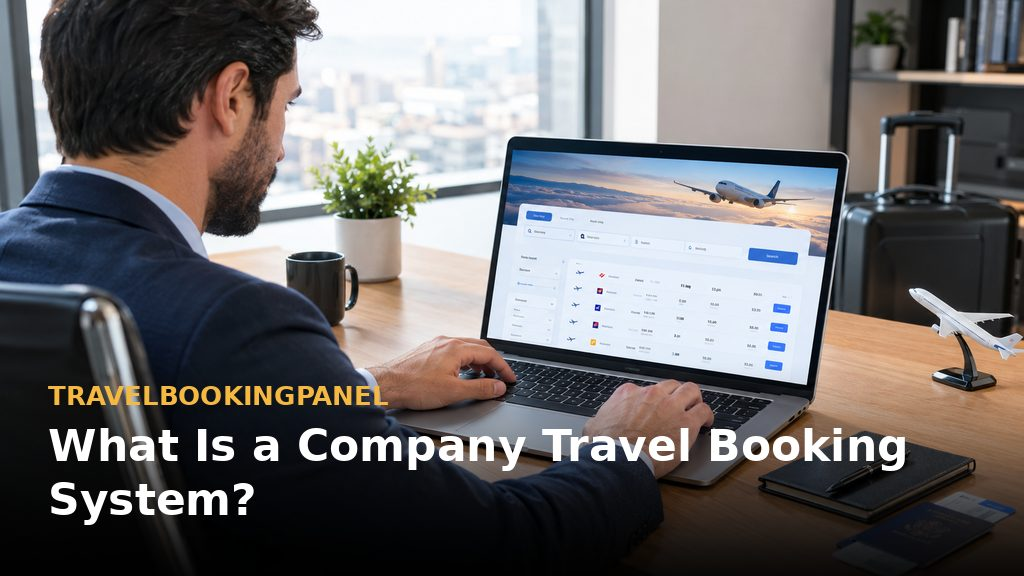
The scattered starting point — Many organisations begin with trip requests arriving by email, messaging apps, and phone calls, followed by chasing confirmations and, weeks later, finance asking what was actually spent. Nothing is in one place, and nobody has a reliable view of who booked what.
One place instead of many — A unified system replaces that fragmentation with a single place for inventory search, reservations, payments, and records. The benefit is not only speed; it is visibility. Every trip, charge, and change is recorded where the people responsible can see it.
Two buyers, two products — The warning every buyer should hear first is that the same label covers two distinct purchase decisions, with different priorities and different vendors. Comparing a tool from one group against a tool from the other produces a meaningless shortlist.
When you book your own staff's trips — Here the purchaser is an employer whose personnel travel. The priorities are approval steps, warnings about options that fall outside policy, visibility of spending, and a connection to expense handling. SAP Concur is a well-known example in this group: it flags non-compliant choices while booking and links to travel managers, distribution networks, enterprise systems, HR, and expense tools.
When you sell travel to others — Here the purchaser is an agency, travel management firm, tour operator, or entrepreneur selling travel to customers. The priorities are a branded shopfront, supplier links, agent access, control over price markups, and a back office. TravelBookingPanel sits in this group: a white-label offering with a customer-facing website plus admin, agent, and customer panels under the buyer's own brand. See our white label travel booking panel guide for how that model works in detail.
What it covers, and what it does not — For the travel-business model, coverage includes flights, hotels, tours, visa handling, and Umrah workflows, with B2B and B2C selling and source code access under a one-time licence. Our Umrah booking panel checklist covers that workflow specifically. Just as important are the exclusions: this kind of platform is not an expense-reimbursement tool, not a corporate card, and not a traveller-safety tracking tool. If one of those is your main need, assess a corporate tool or a travel management company instead.
Employee-travel tool versus travel-business platform, compared —
- Who books: your own staff, versus customers, agents, and corporate clients.
- Brand displayed: the vendor's brand, or the buyer's only lightly, versus the buyer's own brand throughout.
- Main controls: policy alerts, approvals, and expense links, versus markups, agent access, and supplier connections.
- Typical buyer: a finance or travel manager, versus an agency owner or travel entrepreneur.
How Does a Flight Booking System Work?
Four jobs behind the search box — Whatever the screen looks like, a flight booking system performs four tasks: locating availability, setting a price, completing the booking, and managing what follows. A company system adds the buyer's own rules and records on top of all four.
Search and availability — A search queries one or more content sources for fares that match the route and dates. IATA's NDC is an XML-based standard for airline-to-agent communication that third parties may implement, and it sits alongside older and newer routes to similar inventory. The route matters less than whether the fares your customers actually want are reachable through it.
Three routes to the same seats —
- GDS: a long-established distribution network, with Amadeus and Sabre as examples, offering broad coverage, though fees and contract terms differ.
- NDC: an airline standard for sending richer offers to sellers, though not all airlines or fares are open to every seller.
- Supplier API: a direct code-based link to a supplier or aggregator, where every link requires ongoing upkeep.
Pricing, markup and fare rules — The price shown is seldom the supplier's unadjusted fare. The system applies fare conditions, taxes, and commercial rules such as a markup or service charge. For an employer, this is where policy is enforced; for a travel seller, this is where margin is created. Buyers should check exactly how markups are set and who is allowed to set them.
Booking, ticketing and payment — After a fare is chosen, the system rechecks availability, creates the supplier reservation, collects payment, and issues a ticket or voucher. Test the failure points before you commit: outdated prices, supplier timeouts, and duplicate bookings are where weak systems show themselves. Travel technology guides at TravelsTech explain how these connections are built and maintained.
After the booking — Changes, cancellations, and refunds are governed by supplier conditions, and finance needs records consistent with the amounts actually paid. A tool that books well but leaves post-booking work to spreadsheets solves only part of the problem.
A note on supplier coverage — TravelBookingPanel publishes its supplier connections, and its ready-made catalogue is smaller than some larger vendors'. Suppliers that are not yet connected can potentially be added as separately scoped development work. Either way, request the current supplier list before deciding, and check it against the suppliers you actually need.
How Does Business Travel Work?

A chain of small decisions — Business travel is a chain of small decisions made by different people, and the system's purpose is to keep that chain visible from request to reconciliation.
Five roles in every trip —
- Traveller: needs the trip and has preferences about times, airlines, and hotels.
- Approver: the manager who accepts the cost.
- Booker: the traveller, an assistant, or an agent.
- Finance: pays and reconciles.
- Supplier: the airline, hotel, or car provider.
An agency or travel management company may sit between these roles, acting as booker and support contact.
Managed versus unmanaged — In unmanaged travel, each person books however they prefer. In managed travel, trips go through an agreed channel. The 2026 GBTA Business Travel Index forecasts worldwide business-travel spending of $1.71 trillion across roughly 1.84 billion trips, and reports that 65% of surveyed companies require or encourage use of a travel management company or corporate online booking tool. Managed channels are the norm, not the exception.
When plans change — Most of the expense and stress in business travel comes from changes: a cancelled meeting, a missed connection, a refund request. Before choosing a vendor, ask how a booking is handled when a supplier alters a schedule, and who receives notice when that happens.
How Do Travel Booking Sites Work?
A shopfront built on supplier connections — A booking site pulls inventory from several sources, presents it in one search result, adds a price, and accepts the reservation. That is the whole model: connectivity underneath, a storefront on top.
The same machinery, different aims — A company system uses the same machinery with different aims. It restricts who can book, applies the company's own pricing rules, and keeps shared records for the team instead of a personal account for one traveller. Online booking guides at Bookin.pk show how the storefront side of this model works for travel businesses.
Consumer site versus company system, compared —
- Audience: open to anyone, versus limited to the staff, clients, or agents the company authorizes.
- Pricing control: fixed by the site, versus set by the company, including markups.
- Records: a personal account, versus shared team booking records.
- Support: generic help, versus the company's own staff or agents.
Why the search page is not the product — System quality depends on what it can connect to and how pricing rules are applied. An attractive search page backed by thin inventory is unlikely to withstand everyday use, which is why supplier coverage belongs at the top of any evaluation.
Four Ways Companies Run Travel Booking
Email and spreadsheets — Inexpensive at the outset, but fragile as volume grows, with no single view of who booked what. This arrangement works until it suddenly does not, usually at the worst moment.
Corporate booking tools — Designed for firms arranging their own employees' travel. Navan is cited for linking booking data to payment data, so booking, payment, and invoice information can be matched for finance. This suits employee travel rather than a business selling travel to others.
A travel agency or travel management company — The work is handed to a specialist that books and supports travellers. This suits buyers for whom service matters more than software, and it is the model many TravelBookingPanel buyers use when serving their own corporate clients. Travel portal development guides at TravelBookingPortal describe how agencies build on this model.
A white-label booking platform you operate — The buyer runs the platform under its own brand. With TravelBookingPanel, the buyer owns the licence and source code and chooses modules and suppliers, while assuming responsibility for supplier contracts and daily operations. Our travel agency back office software guide explains the back-office side of running this model.
Features to Check Before You Choose
Judge a workflow, not a feature list — The reliable test is to trace one real booking through the system, from request to confirmation, rather than ticking boxes on a brochure.
Supplier and inventory coverage — List the airlines, hotels, and products you actually sell or buy, and check each against the vendor's current supplier list, including what happens if a needed supplier is absent. Coverage on paper that does not match your routes is worthless.
Booking workflow and approvals — Trace one trip from request through confirmation, counting the steps, the people involved, and the points where information must be re-entered. Every re-entry is a future error.
Three demo tests — Reserve a flight and hotel together on a single record; amend the booking and observe who is notified; cancel and observe how the refund is recorded. If a vendor cannot show these live, treat that as information. Our hotel booking software guide covers the hotel side of the combined-booking test.
Agent and admin roles — Where agents and sub-agents will book, check how access, limits, and commissions are controlled. TravelBookingPanel's B2B agent portal and advanced markup control appear on higher plans, so confirm current inclusions on the pricing page before planning around them. The B2B travel booking panel explains the agent model in more depth.
Branding and the customer portal — Check which customer-facing elements carry your name: domain, logo, emails, invoices, and the customer booking dashboard. White labelling should cover the full journey, not only the home page.
Pricing and markup controls — Decide who may alter prices, at which level, and whether changes are logged. Unlogged price changes become disputes later.
Payments and reconciliation — Check payment methods, refunds, and how bookings are matched to payments. If expense reimbursement or card management matters to you, confirm whether it is included or requires another tool.
Reporting and records — Request a sample report. The desired outcome is bookings broken down by agent, supplier, date, and status without first exporting everything to a spreadsheet. CRM and reporting guides at TravelCRMSystem show what good booking records look like in practice.
What a Company Travel Booking System Costs
The licence is only one line — The licence or subscription price is only one component of the total. The rest of the bill is made of:
- Setup and customisation: branding, configuration, data migration.
- Supplier costs: contracts, API access, and content fees not covered by the platform.
- Payment fees: gateway charges on every transaction.
- Hosting and maintenance: who bears the cost, and who resolves problems.
- Staff time: training and day-to-day operation.
Get written quotations — Headline prices hide most of the items above. Written quotations, compared line by line, are the only honest basis for a decision.
A simple cost calculator — Work from six inputs: monthly booking volume, staff minutes per booking, hourly labour cost, software fees, setup cost, and ongoing expenses. The outputs are an estimated annual cost and a break-even point against your current way of working.
A worked illustration, not a benchmark — Take 200 bookings per month at 25 minutes each: that is about 83 hours of work. Multiplying by your own hourly cost gives your current labour cost, to compare with the reduction a new system might achieve. Treat the savings as estimates, not guarantees: they depend on which steps are automated and which still require staff.
How to Choose: A Weighted Scorecard

Rate, weight, compare — Rate each option from 1 to 5 on each criterion, then multiply by the chosen weight. The weights below are examples to adjust to your business; this is the article's own method, not a validated industry standard. Our guide on how to choose travel booking software applies a similar comparison approach to the wider software market.
Scorecard criteria and example weights —
- Supplier coverage, 20%: the suppliers you need are covered now, not promised later.
- Booking workflow, 20%: fewer steps and fewer manual corrections.
- Control over roles, markups, and approvals, 15%: the rules fit your operating model.
- Branding and ownership, 15%: you control the brand, the data, and the code.
- Payments and reconciliation, 15%: records align with money in and money out.
- Reporting, 10%: reports you will actually use, without spreadsheet exports.
- Support and implementation, 5%: clear help during setup and afterwards.
Seven questions to ask every vendor —
- Which suppliers are already connected, and which are add-ons?
- What is included in the licence, and what costs extra?
- Who maintains supplier connections when they change?
- What happens if a supplier times out during a booking?
- How are refunds and changes recorded?
- What does the platform not do?
- Can you see a working demo rather than only screenshots?
Where to Start
Name your problem first — Decide which problem applies to you: managing your own staff's trips, or running a travel business that sells business travel. Every later decision follows from this one.
Gather three months of real bookings — Pull three months of actual bookings, estimate the manual hours they consumed, and score two or three options against the scorecard above. Real volumes beat vendor estimates every time.
Compare against a live demo — For readers building or upgrading a branded platform, compare your requirements against a live TravelBookingPanel demo, and ask for the current supplier list and plan inclusions in writing. Review the platform features first, then get in touch to arrange the demo. Travel booking panels for Pakistan agencies are also covered by TravelBookingPanel Pakistan.
More resources from our network
- TravelsOTA — online travel agency platform resources.
- Airways.pk — airline booking and aviation guides.
- Jovago.pk — hotel and travel booking guides.
- FindMyAdventure.pk — tour and adventure travel guides.
- Buscaro.pk — bus and ground transport booking guides.