Search for company travel management software and you will find two different products hiding behind one phrase. One kind helps a company control what its own employees spend on trips. The other kind helps a travel business sell trips to customers and agents. They share vocabulary, bookings, approvals, reports, but they solve different problems, and buying the wrong kind is an expensive mistake.
In broad terms, this kind of platform brings trip requests, reservations, approvals, tracking, and reporting into one central place instead of scattered emails, spreadsheets, and supplier sites. Organisations whose employees travel mainly need controls over rules, approvals, and spending. Organisations that sell travel mainly need a customer- or agent-facing booking portal, supplier connections, and reservation management. TravelBookingPanel belongs in the second group: a ready-to-use B2B and B2C portal for agencies, tour operators, and other travel sellers.
Search results tend to emphasise staff-travel tools. That is a genuine category, but it is not the only one behind the term. This guide separates the two categories, explains what to compare in each, and helps you decide which problem you are solving before you sit through any demonstrations.
Key takeaways

- The same search term covers two purchases: controlling employee travel, and running a travel-selling business.
- Staff-travel tools centre on policy, approvals, expenses, and traveller safety; booking platforms centre on portals, supplier connections, and reservation management.
- A sales portal does not automatically include corporate cards or expense claims, and a staff-travel tool does not automatically provide a shopfront.
- Judge tools by role: owners, finance, operations, agency owners, and IT each ask a different first question.
- Compare total cost, not just the licence: transaction fees, implementation, integrations, admin time, and support all count.
- TravelBookingPanel fits travel sellers who need a branded portal; it is not a corporate-card or duty-of-care platform.
What Is Company Travel Management Software?
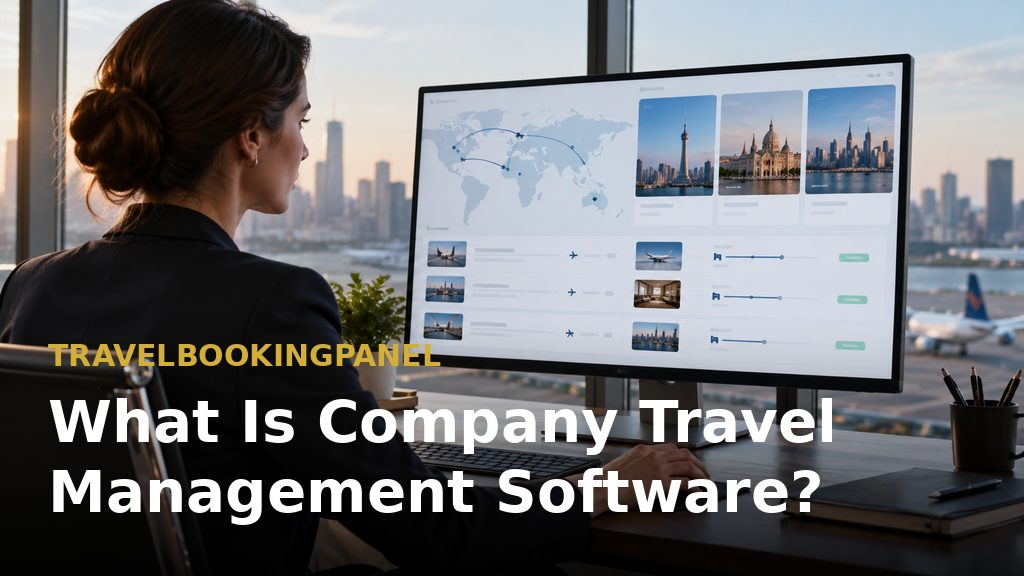
Drawing on Capterra, such software eases trip planning and expense reporting while keeping bookings within company rules. That description fits the staff-travel side well. More broadly, it is any system that replaces scattered emails, spreadsheets, and separate supplier sites with one place for travel requests, bookings, approvals, confirmations, and reporting. Independent travel technology coverage, for example travel technology coverage, often groups these tools by function, which is a useful reminder that one label covers several jobs.
What it controls:
- Reserving: finding and booking flights, hotels, and other travel services.
- Rules: setting who may book what, subject to stated limits.
- Sign-off: obtaining manager or finance approval before a booking is finalised.
- Monitoring: keeping track of existing trips and reservations and their current state.
- Data reporting: producing spending and activity information usable by finance and operations.
- Payment matching: linking bookings to invoices, where the product offers that function.
Software versus a travel management company (TMC) — A TMC is a service provider, not just a tool. Citing Perk, it helps organisations plan, book, run, and improve business travel. Citing OnceHub, the practical distinction is that a TMC provides people and agents and typically charges for each transaction, whereas software is largely self-service with rules applied automatically. Many organisations use both: software for day-to-day bookings and a TMC for complex itineraries, negotiated rates, and human support.
Two Buying Decisions Hiding Behind One Keyword

The most useful starting question is not which product ranks highest, but which problem you are trying to solve. Two decisions hide behind the keyword, and they lead to different shortlists.
Decision A — managing employee travel — The organisation needs staff booking, rule enforcement, approval steps, expense matching, traveller safety, and reporting. Typical buyers are a CFO, HR lead, procurement manager, or corporate travel manager. The organisation sits outside the travel industry, and travel is an expense to be controlled. For the company-travel version of the workflow, see how a company travel booking system works.
Decision B — operating a travel business — The organisation needs a booking website or portal, supplier and API connections, access for agents or customers, reservation handling, and booking tracking. Typical buyers are agency owners, tour operators, travel entrepreneurs, or travel-technology firms. Here travel is the product sold, not a cost to control. The companion guide to choosing software for travel agencies covers this side in depth, and a B2B travel booking panel shows the agent-facing model in practice.
Where they overlap, and where they do not — Both involve bookings, confirmations, and reports, which explains the confusion. However, a sales portal does not automatically include corporate cards, staff travel rules, expense claims, or traveller-safety tracking. Conversely, a staff-travel tool does not automatically provide a shopfront for selling travel to your own customers or sub-agents. Overlap in vocabulary is not overlap in capability.
Which one are you? — Readers whose staff travel and who want cost control fall under Decision A and should use the later feature and cost sections to build a shortlist. Readers building or running a travel business and needing a branded portal with booking management fall under Decision B, for whom TravelBookingPanel is presented as a first type of platform to assess.
Five Buyers, Five Questions

Different roles judge the software by different concerns, so a demo that impresses one buyer can leave another cold. The list below maps each role to its core question and first check.
- Business owner or CEO — core question: will this simplify operations? Check first: how much setup is involved, who looks after it, and what it replaces.
- Finance manager or CFO — core question: can travel spending be seen and controlled? Check first: depth of reporting, approvals, and reconciliation.
- Travel or operations manager — core question: can trips be run without constantly following people up? Check first: booking changes, approval flow, and tracking.
- Travel agency owner — core question: can agents, bookings, and customers be handled in one system? Check first: supplier access, type of portal, and booking management.
- IT or procurement team — core question: will it work with current systems? Check first: integrations, security, and ability to scale.
Business owner or CEO — This buyer focuses on cost, simplicity, and growth. The test is whether the system removes work or merely adds another system to maintain. Ask how many tools it replaces and what manual work remains after implementation.
Finance manager or CFO — This buyer focuses on budgets, reporting, and reconciliation. The key is visibility while spending is happening, not only at month-end. Check whether bookings, approvals, and costs sit in a single record, and whether reconciliation is part of the product or a separate chore. For the finance side of an agency, see travel agency back-office software.
Travel or operations manager — This buyer deals constantly with changes, cancellations, and approvals. Needing to chase sign-offs or confirmations wastes time that should go to travellers. Look for clear booking statuses and a visible approval history, so nobody has to ask where a booking stands.
Travel agency owner — This buyer needs supplier access, booking infrastructure, and a way to serve both agents and customers. A travel portal fits this need better than a staff-travel tool. TravelBookingPanel gives agencies a ready-made website with B2B and B2C functions, allowing bookings under the agency's own brand without building a platform from scratch.
IT or procurement team — This buyer asks whether the platform fits existing systems and can grow. Ask about interface access, hosting and licence terms, security responsibilities, and who maintains integrations after launch. A platform that cannot answer those questions clearly will cost more later than it saves now.
How Company Travel Management Software Works: From Request to Report
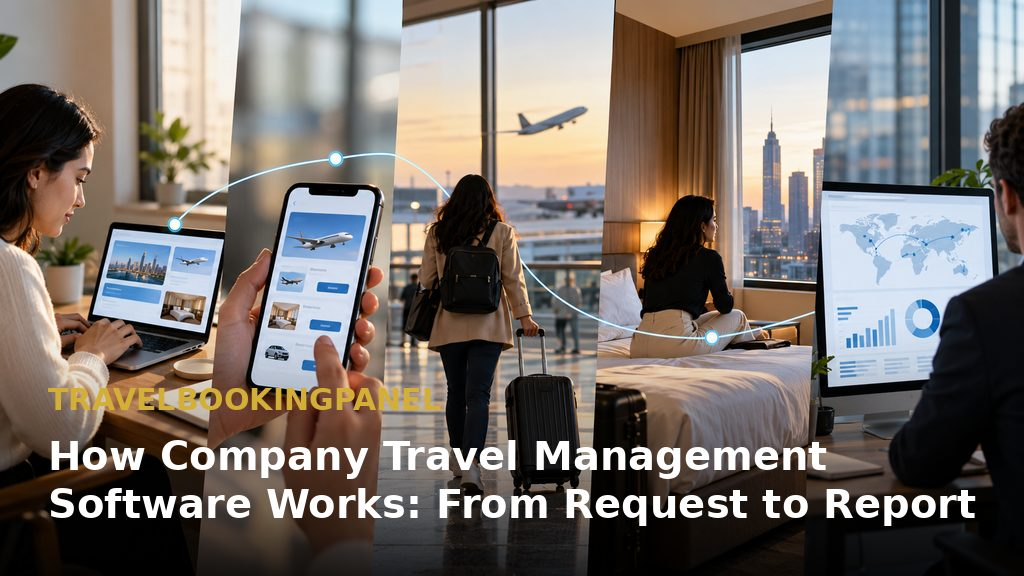
All platforms, whatever their category, move a booking through the same broad stages. Knowing them helps reveal where a tool helps and where it does not, because vendors love demoing the booking screen and skipping the rest.
Before booking — request, policy check and approval — A traveller or customer requests a trip. In a staff-travel setting, the system checks the request against policy and sends it for approval. In a travel business, this stage is instead a quotation or enquiry from an agent or customer, with pricing rules applied.
During booking — search, availability and confirmation — The platform searches supplier stock, displays availability and prices, and confirms the reservation. Outdated availability, supplier timeouts, and duplicate bookings are common failure points, so vendors should be asked how they deal with them, not just shown a successful search.
After booking — tracking, changes, payment and reporting — After confirmation, the booking still needs monitoring, amendments, cancellations, payment records, and reports. Much manual work fails at this stage because problems stay hidden until something goes wrong. TravelBookingPanel's booking management and tracking tools are presented as built around this stage: a single place to review reservations and their status. The business travel booking system guide walks through the same post-booking work from the buyer side.
Where workflows break — Three recurring problems are approvals that stall, records spread across several places, and the same booking being re-entered into different systems. Buyers should ask vendors to walk through each of these, not only the booking screen, because the breakages are where the real cost lives.
Features Worth Comparing

Feature lists are easy to compile but hard to compare, so group features for a practical comparison instead of ticking boxes from a brochure.
Booking and inventory access — Check which services can be booked (flights, hotels, transfers, and others), how stock is sourced, and whether booking stays inside the product or redirects elsewhere. For travel businesses, supplier and interface connectivity is the decisive factor. For air inventory specifically, air travel booking resources show how fare rules and availability shape what a platform can actually sell.
Policy and approval workflows — Capterra's category overview is cited for policy management and restriction management, including limits on amount, duration, or expense type. Staff-travel tools usually go further in this area, while booking platforms focus more on pricing rules, markups, and agent permissions. Compare the workflow that matches your decision, not the longer feature list.
Reporting and spend visibility — Ask which reports are included as standard, how up to date the data is, and whether it can be exported. A report that cannot be trusted or filtered is of little value to finance, however pretty its charts look.
Payments and reconciliation — Only some products handle corporate cards, expense claims, and reconciliation. Treat these as separate requirements and get written confirmation of what is included, because "payments" on a brochure can mean anything from a payment link to full reconciliation.
Integrations, security and support — List systems already in use, such as accounting, CRM, payment gateways, and supplier interfaces. Ask who builds and maintains each integration and what support follows launch. Guidance on the CRM side, for example travel CRM guidance, helps clarify what the platform must exchange with the rest of the stack.
The features table, restated as a list:
- Booking and inventory — most relevant to operations and agency owners — ask which suppliers and interfaces are connected now.
- Policy and approvals — most relevant to finance and travel managers — ask whether rules can be changed without a developer.
- Reporting — most relevant to finance and owners — ask which reports are standard and which are custom.
- Payments — most relevant to finance — ask what is handled inside the platform and what sits outside it.
- Integrations and security — most relevant to IT and procurement — ask who maintains integrations after go-live.
Employee Travel Tools vs TMCs vs Booking Platforms
Once the problem is clear, choosing a category becomes easier. The four options below differ in who books, how policy is enforced, and who holds supplier access.
- Spreadsheets and email — booked by staff or a single coordinator; policy is informal; supplier access is through individual accounts; best for very small, low-volume travel.
- Travel management company — booked by TMC agents or an online tool; policy is set by the company but enforced by the TMC; supplier access is held by the TMC; best for companies wanting a service partner.
- Employee travel platform — booked by employees on a self-service basis; policy is set by the company and enforced in the software; supplier access is held by the platform vendor; best for companies wanting control plus self-service.
- Travel booking platform — booked by agents, customers, and sub-agents; policy is set by the travel business; supplier access is held by the travel business through interfaces; best for agencies, tour operators, and travel startups.
Examples in each category — Navan, Perk, and SAP Concur are commonly mentioned for employee travel, while Amex GBT and BCD Travel are among the large TMCs. TravelBookingPanel is presented as serving a different buyer: a business selling travel rather than a company buying it. These are category examples, not a ranking. A companion article on choosing travel booking software compares the platform side in more depth.
Why market context matters — Business travel is large and growing. Figures from the GBTA Business Travel Index, as reported by Engine, place worldwide business-travel spending at roughly $1.59 trillion in 2025, with a forecast of about $1.71 trillion for 2026. Check the figures at the source before quoting them. The point for buyers is that as spending grows, so does the cost of managing it poorly.
Where TravelBookingPanel Fits, and Where It Does Not
This section is aimed at Decision B readers. Readers managing staff travel who need corporate cards or expense claims are directed to the cost section instead, because a booking platform will not solve their problem.
What TravelBookingPanel is built for — The platform is built for:
- A ready-made travel website: a way to launch a booking presence without treating every project as a custom build.
- B2B and B2C functions: portals for travel agents and for end customers.
- Booking management and tracking: a single workflow for reviewing reservations and their status.
- Supplier and interface integrations: connectivity options for sourcing stock, subject to supplier terms.
- Reports: visibility into booking activity and operations.
For the portal side in general, see travel booking portal options alongside the platform's own TravelBookingPanel features.
Matching it to requirements — Use a simple test. If the requirement list centres on a branded portal, agent access, supplier connections, booking tracking, and reporting, the platform aligns with those needs. If it centres on employee policy, corporate cards, expense claims, and duty of care, a different category is needed. Compare personal requirements with available features before booking a walkthrough.
The honest limits — TravelBookingPanel is not a corporate-card, expense, or duty-of-care platform and should not be bought as one. Its pre-built supplier-integration catalogue is smaller than some competitors'. Additional suppliers can be integrated on demand as a separately scoped engineering add-on, so buyers should confirm scope and cost for the suppliers they need. Which capabilities are included also depends on plan and configuration, so current availability should be checked with the team via contact the team.
What to check in a walkthrough — Use this checklist in the demo:
- Ask to see the booking dashboard, the agent workspace, and the reports screen using real workflows, not slides.
- Ask how a failed supplier request, a cancellation, and an amendment are handled.
- Ask what the buyer owns, what is licensed, and who maintains the integrations.
What It Really Costs: A Transparent Cost Model

The subscription or licence is rarely the whole cost. A fair comparison separates the components, because vendors package the same money in different places.
- Software cost: subscription, licence, or one-time fee, depending on the model.
- Per-booking or transaction fees: charges that rise with volume.
- Implementation: setup, configuration, branding, and data migration.
- Integrations: supplier, payment, and accounting connections, including any custom work.
- Administration time: staff hours spent on manual work the system does not remove.
- Support and maintenance: what is included and what is billed separately.
Estimating your own number — Start with monthly booking volume. Multiply that by the minutes the team currently spends on each booking, then by an hourly labour cost. Add quoted software and integration costs, and compare the total with the current process. Where a vendor does not publish pricing, write that pricing is available on contact rather than guessing. Treat any savings figure as an estimate dependent on assumptions, not a guarantee. For TravelBookingPanel's side, see the TravelBookingPanel pricing page, but compare it against the full cost model above, not against another vendor's headline figure.
A Shortlist Scorecard You Can Use Today

A scorecard turns a vague preference into a comparison that can be defended to a manager or board. Use it before demonstrations, not after, so the scores reflect your requirements rather than the best demo.
The criteria — Score each vendor 1 to 5:
- Booking and inventory access.
- Policy and approval controls.
- Reporting and visibility.
- Integrations and security.
- Support and implementation.
- Total cost.
How to weight it — Weightings depend on the buyer. Finance-led buyers will emphasise reporting and cost heavily; travel agencies will emphasise supplier access and portal capability; IT teams will emphasise integrations and security. There is no universal weighting, so buyers should set theirs before seeing demonstrations. This is an internal selection framework, not a validated industry benchmark.
Practical use — Build the scorecard as a spreadsheet, complete it for two or three vendors, and share it with the people who will use the system. Decision B buyers are advised to add TravelBookingPanel to the sheet and score it on the same criteria. A white-label travel booking panel can be scored the same way if branding control matters to the decision.
Conclusion: Choose the Problem Before the Product

The right software depends on travel volume, approval needs, and existing systems. First decide whether the task is managing employee travel or running a travel business, score vendors against personal criteria, and request walkthroughs showing real workflows. If you sell travel and need a branded portal with booking management and supplier integrations, explore TravelBookingPanel and check whether its available features match your requirements. The cheapest mistake in this purchase is not picking the wrong vendor; it is solving the wrong problem well.